

TradingView: Your Go-To Platform for Charting Wins and Trading Thrills in 2026
Hey folks, ever had that moment where you’re staring at a stock chart, feeling like you’re decoding ancient hieroglyphs? I sure have. Back in my newbie trader days, around 2020, I fumbled through clunky software that made my head spin faster than a crypto pump-and-dump. Then, bam – I discovered TradingView. It was like switching from a rusty bicycle to a sleek electric scooter. Suddenly, analyzing markets felt intuitive, almost fun. Fast forward to January 27, 2026, and TradingView’s still my daily driver for everything from forex flips to stock scans. If you’re in Lucknow or anywhere else pondering “What is TradingView?” or hunting for the best charting tools, buckle up. We’re diving into this powerhouse platform, sprinkled with my mishaps, triumphs, and a dash of humor. By the way, did you know it’s got over 100 million users worldwide? Yeah, it’s that big.tradingview.com
What Exactly is TradingView? A Beginner’s Peek Behind the Curtain
Imagine a Swiss Army knife for traders – that’s TradingView in a nutshell. It’s a web-based charting platform that lets you track stocks, crypto, forex, futures, and more, all in one spot. No downloads needed; just fire up your browser and you’re in. Founded back in 2011, it’s grown into a social network for traders, where pros and rookies swap ideas like kids trading Pokémon cards.
Honestly, what hooked me was its clean interface. Unlike those outdated terminals that look like they belong in a 90s sci-fi flick, TradingView’s sleek and customizable. You can plot trends, add indicators, and even chat with fellow users. It’s not just charts; it’s a community hub for market mavens.
The Evolution of TradingView: From Humble Beginnings to 2026 Dominance
Let’s rewind a bit. TradingView started as a simple charting site but exploded during the crypto boom. By 2026, it’s integrated AI-driven alerts and deeper broker connections, making it a one-stop shop. Remember the GameStop saga? Platforms like this fueled the frenzy with real-time data and social buzz.stockbrokers.com
In my experience, updates like enhanced Pine Script have been game-changers. Back in 2022, I scripted my first custom indicator – a Frankenstein of moving averages – and felt like a coding wizard. Today, with over 100,000 public scripts, it’s like an endless buffet of tools.tradingview.com
Diving into TradingView Features: Charts That’ll Make Your Eyes Pop
Alright, let’s talk features – the meat and potatoes. TradingView’s charting is top-tier, with over 100 indicators built-in, from RSI to Bollinger Bands. You can layer them like a pro chef building a lasagna. Multiple timeframes? Check. Drawing tools for Fibonacci retracements or trend lines? Absolutely.stockbrokers.com
One standout: The heatmap. It’s like a thermal camera for markets, showing hot and cold spots in forex pairs or stock sectors. I once spotted a undervalued gem in the energy sector thanks to it – turned a tidy profit. And get this, it’s all cloud-based, so your setups sync across devices. No more “Oh no, I left my chart at home!”
Social Trading on TradingView: Where Ideas Flow Like Chai at a Street Stall
TradingView isn’t solitary; it’s social. The Ideas section is a goldmine of user-generated analyses. Picture Reddit meets Wall Street – users post charts with predictions, and you can like, comment, or follow. I’ve followed gurus who’ve saved me from bad trades more times than I can count.tradingview.com

Humor alert: Some ideas are wild, like “Bitcoin to the moon by lunch!” But sift through, and you’ll find gems. My tip? Follow verified pros. It’s like having a mentor in your pocket, minus the awkward coffee meetings.
Pine Script: The Secret Sauce for Custom Trading Tools
Ah, Pine Script – TradingView’s scripting language. It’s user-friendly enough for semi-coders like me to create custom indicators or strategies. Think of it as Lego for algorithms. You can backtest ideas, turning “What if?” into “Cha-ching!”tradingview.com
I once coded a divergence detector that flagged buys on oversold stocks. Worked like a charm during the 2023 dip. With libraries like Deeptest for backtesting, it’s evolved big time by 2026. If you’re techy, this is your playground.tradingview.com
Screeners and Alerts: Never Miss a Beat in the Market Jungle
Screeners are TradingView’s radar. Filter stocks by criteria like P/E ratio or volume – it’s like speed dating for investments. Set alerts for price breaks or news, and boom, notifications ping your phone.tradingview.com
Rhetorical question: Ever kicked yourself for missing a breakout? I have. Now, with 1,000 alerts on premium plans, I’m always in the loop. It’s saved my bacon during volatile sessions.tradingview.com
TradingView Pricing: Free vs Paid – What’s the Deal?
Free plan? Solid for basics – one chart, limited indicators. But upgrade for the good stuff. Essential at $12.95/month: More charts, no ads. Plus ($24.95): 10 alerts, priority support. Premium ($49.95): Unlimited everything, plus AI insights.tradingview.com
My verdict? Start free, go Premium if serious. I upgraded after a month – worth every penny for those 50 indicators per chart.tradingview.com

Broker Integrations: Trade Straight from the Chart
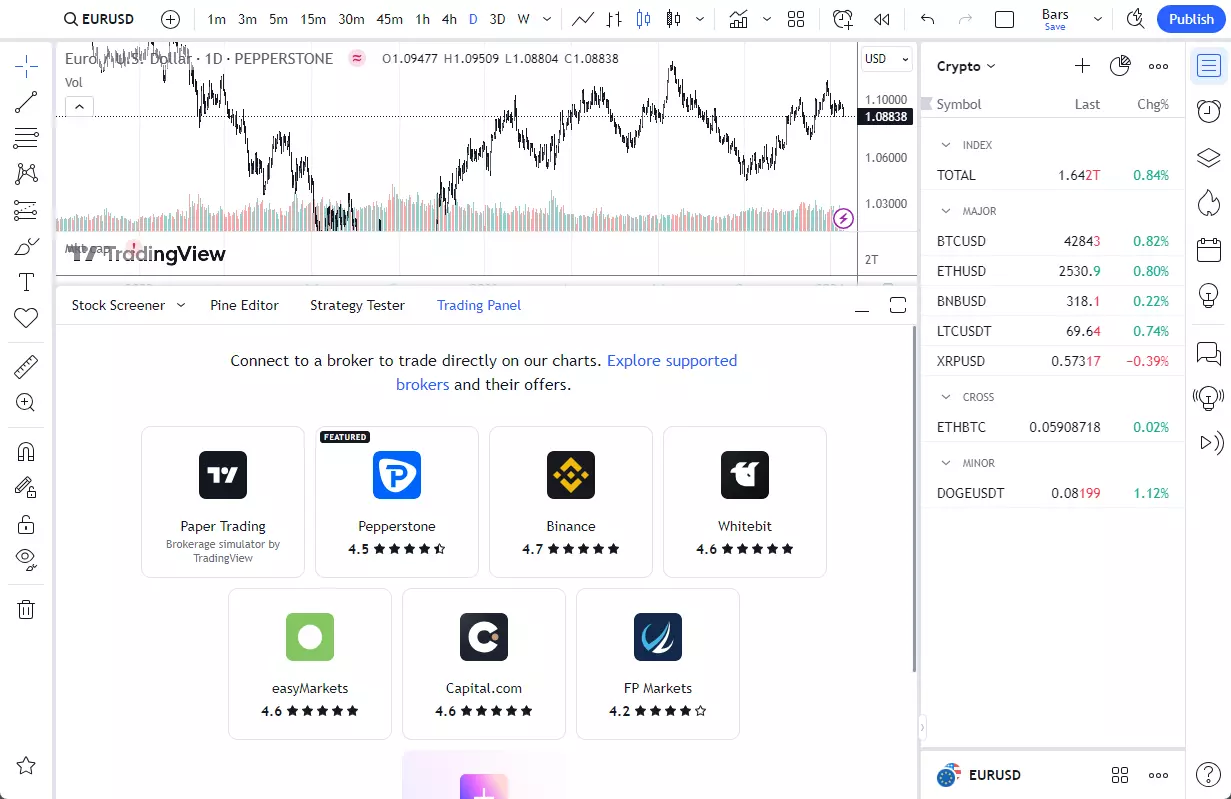
TradingView connects with over 100 brokers for seamless execution. Spot a setup? Click and trade. It’s like having a cockpit for your portfolio.tradingview.com
I linked mine to a forex broker – executions are lightning-fast. No more app-switching; it’s all in one ecosystem.
How to Get Started with TradingView: A Step-by-Step Noob Guide
Ready to jump in? Sign up at tradingview.com – email or social login. Pick a symbol, say AAPL, and start charting.tradingview.com
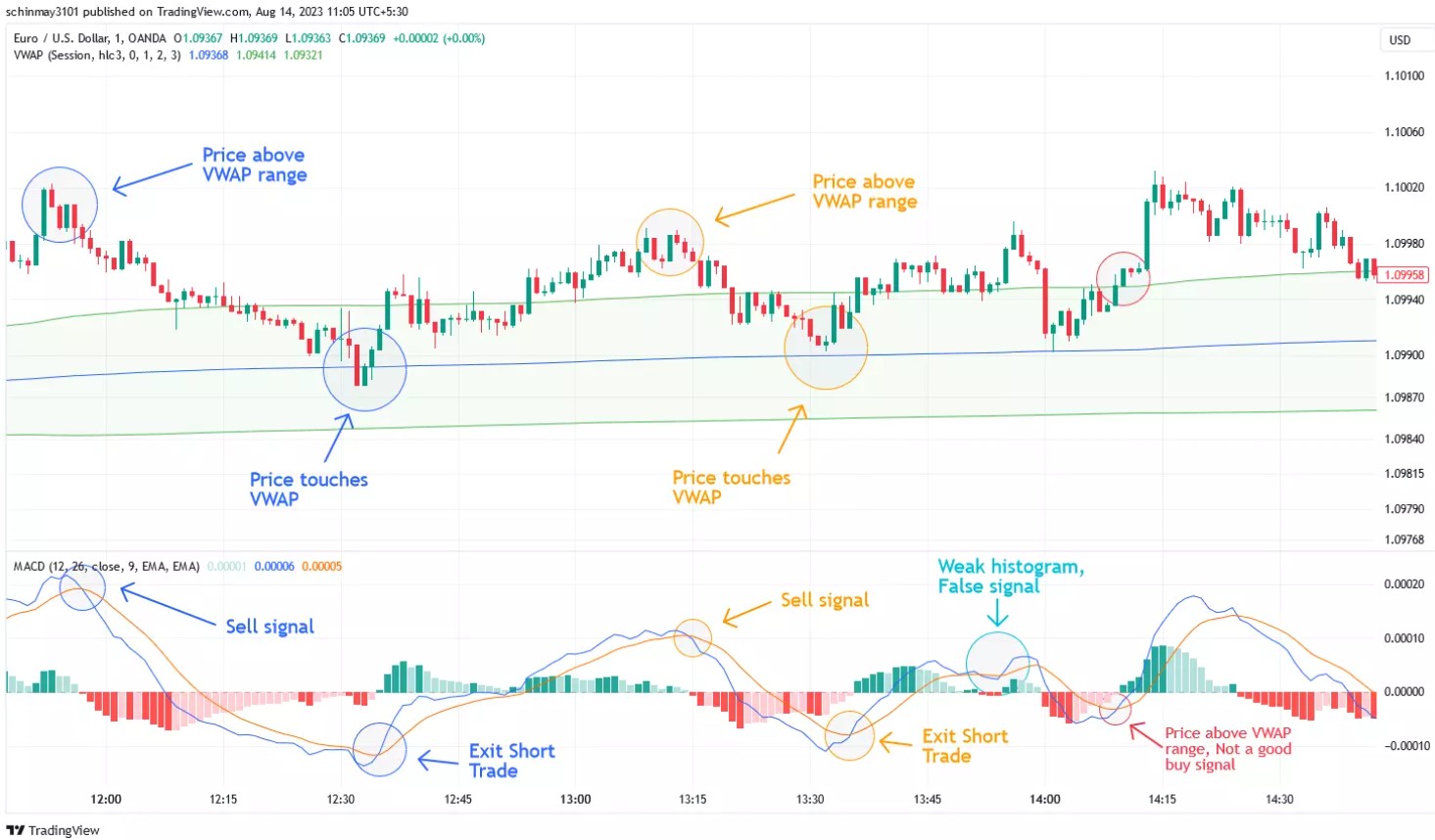
- Customize your workspace: Add indicators like MACD.
- Explore ideas: Search for “bullish setups.”
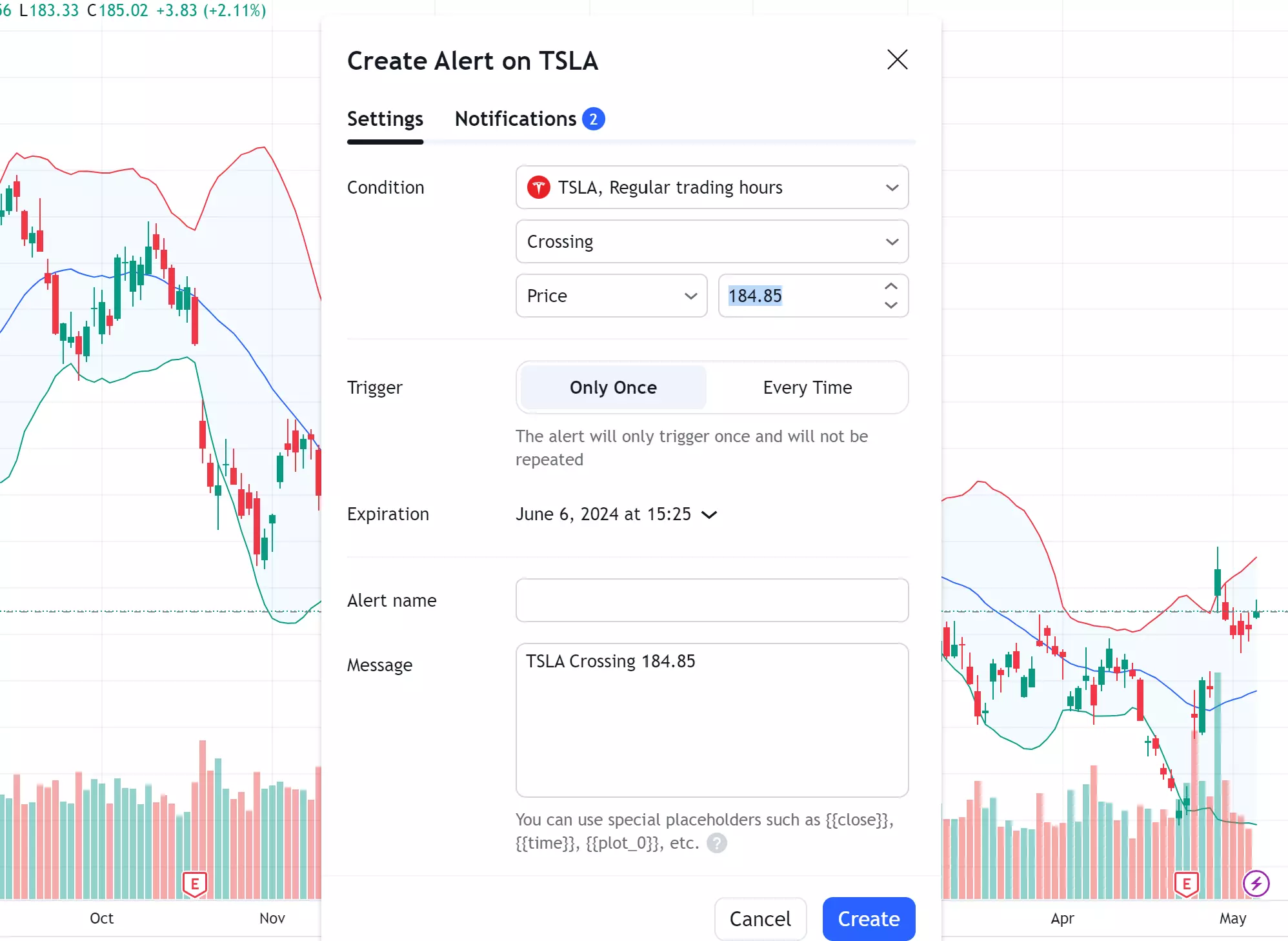
- Set alerts: For price crosses.
- Join chats: Discuss with the community.
My first day? Overwhelmed, but tutorials helped. Pro tip: Watch YouTube guides – they’re lifesavers.youtube.com
Advanced Tips: Level Up Your TradingView Game
Once comfy, dive deeper. Use volume profiles for support levels – it’s like x-ray vision for price action. Or arbitrage detectors for crypto spreads.tradingview.com
Idiom time: Don’t put all eggs in one basket – diversify with multi-asset charts. I mix stocks and forex; keeps things spicy.
Pros and Cons: The Real Talk on TradingView
Pros:

- Intuitive interface, vast community.
- Custom scripting, real-time data.
- Affordable upgrades, mobile app.
Cons:
- Free version has ads and limits.
- Learning curve for Pine Script.
- Overwhelming for absolute beginners.strike.money
Subjective insight: Pros outweigh cons tenfold. It’s reliable, unlike some glitchy alternatives.wallstreetzen.com
TradingView vs Competitors: Why It Stands Out
Vs MT4: TradingView’s cloud-based, social – MT4’s more for automation. Vs NinjaTrader: Broader coverage here.quantvps.com
Analogy: TradingView’s the smartphone; others are flip phones. Versatile and modern.
My Personal TradingView Tales: Wins, Losses, and Lessons
Story time: During the 2024 crypto winter, TradingView’s alerts warned me off a bad ETH trade. Saved thousands. But once, I ignored a divergence signal – ouch, 20% loss. Lesson? Trust the tools, but use your gut.
Another: Coded a strategy that netted 15% in a month. Felt invincible. TradingView turned my hobby into a side hustle.
Market Coverage: Stocks, Crypto, Forex – Oh My!
Stocks: Track NYSE, NASDAQ with earnings calendars. Crypto: BTC, ETH dominance charts. Forex: Heatmaps for pairs like USD/INR.tradingview.com

It’s global – perfect for Indian traders eyeing international plays.
What’s New in TradingView 2026: Fresh Updates
2026 brings AI-enhanced predictions and better mobile trading. New scripts like Volatility Risk Premium. Community requests? Still pushing for better screener features.pineify.app
Security and Reliability: Safe as Houses?
Bank-level encryption, two-factor auth. I’ve never had issues. Uptime’s stellar – crucial during market hours.g2.com
TradingView for Day Traders vs Long-Term Investors
Day traders love real-time data; investors dig fundamentals screener. Versatile for all styles.
My style? Swing trading – charts help spot entries perfectly.
Mobile App: Trading on the Go
App mirrors desktop – charts, alerts, ideas. I check from chai breaks in Lucknow. Seamless.
Community and Education: Learn While You Earn
Webinars, blogs, user tutorials. It’s like a free trading school.bullishbears.com

FAQ: Quick Answers to Your TradingView Queries
What is TradingView used for?
It’s a charting and analysis platform for stocks, forex, crypto, with social features.tradingview.com
Is TradingView free?
Yes, basic version is free forever, no card needed.tradingview.com
How much does TradingView Premium cost?
$49.95/month, with unlimited indicators and alerts.youtube.com
Can I trade directly on TradingView?
Yes, via integrated brokers.tradingview.com
Is TradingView good for beginners?
Absolutely, with intuitive tools and community support.medium.com
What’s Pine Script?
A language for custom indicators and strategies.tradingview.com
Final Thoughts: Why TradingView Should Be Your Next Click
Whew, we’ve covered a lot – from basics to pro hacks. TradingView’s not just a tool; it’s a companion in the wild world of markets. My journey from confused newbie to confident trader? All thanks to it. If you’re ready to level up, sign up today. What’s your favorite feature or biggest trade win? Comment below – let’s swap stories! Share this post if it sparked an idea, and follow for more market musings.